An an Etsy shop owner and online entrepreneur, I use photos A LOT to promote my business online.
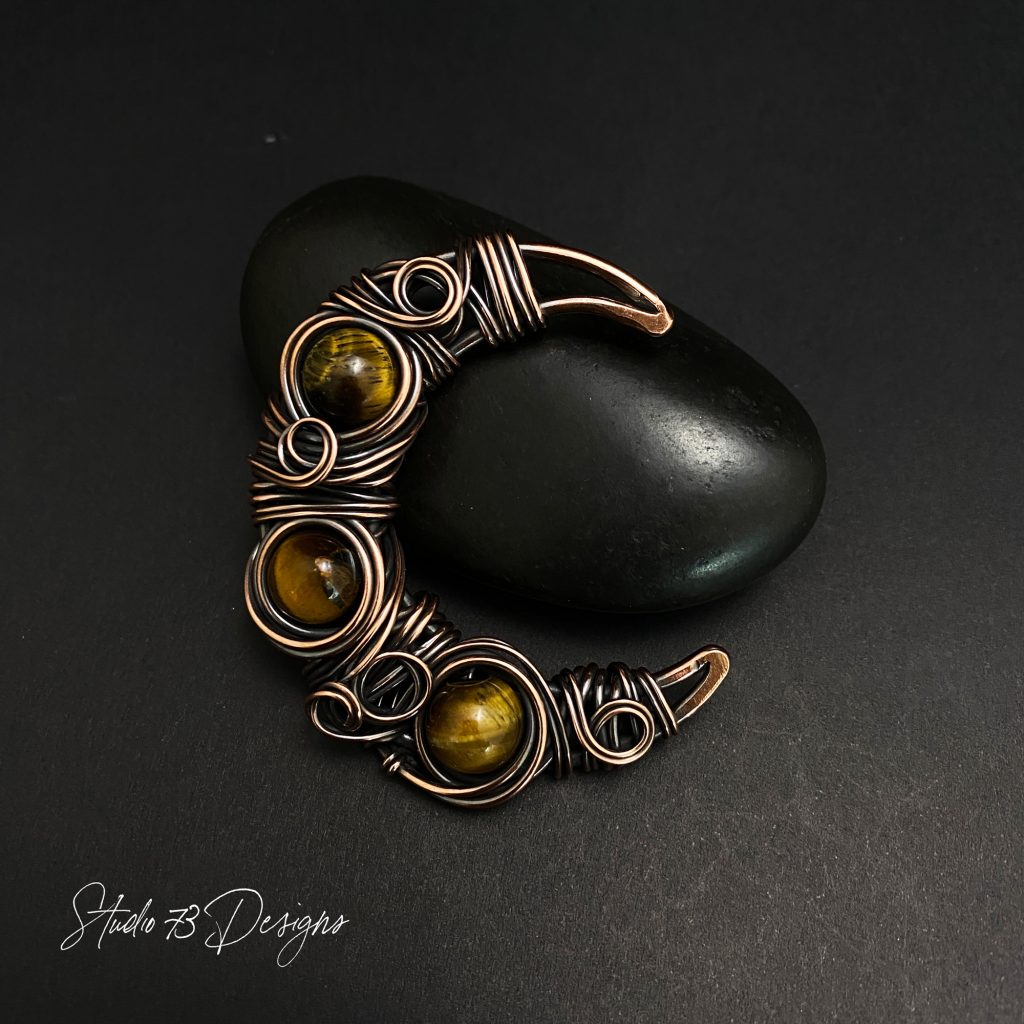
I do have an “official” logo but I wanted a simple signature logo that I could easily add to my photos, for branding purposes.
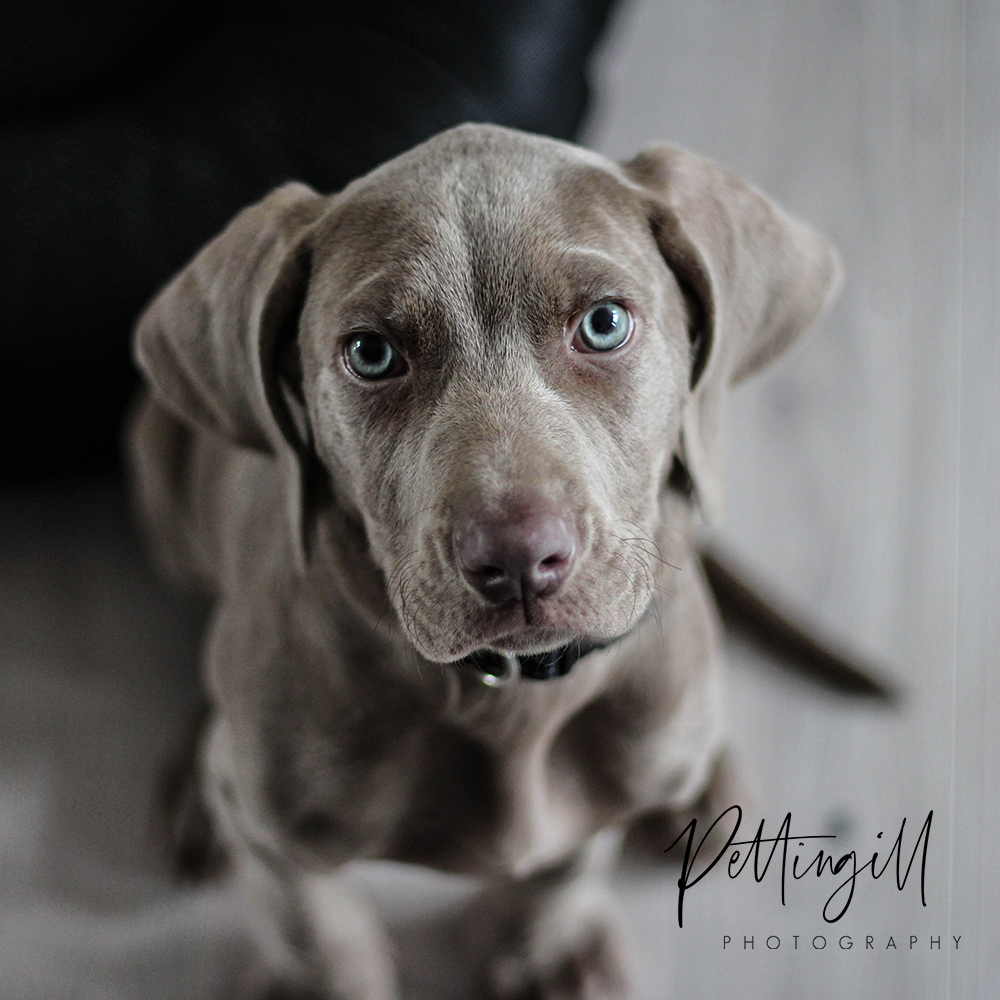
Here is an example of one of my pics:
NO PHOTOSHOP REQUIRED!
If you don’t have Photoshop, you can design your signature logo with PicMonkey.

FREE WIRE-WRAPPING GUIDE TO YOUR EMAIL!
JOIN NEWSLETTER
We respect your privacy. Unsubscribe at anytime.
It’s super easy to use and is a much cheaper alternative to Photoshop.
PicMonkey offers a 7-day free trial so you have a full week to decide if it works for you. You can pay monthly or for the year – their prices are completely reasonable.
It’s absolutely perfect for anyone who is starting out in business or for anyone who is looking to switch over to a new platform.
Some key points about PicMonkey
- Edit your photos (crop, resize, adjust color & exposure, remove backgrounds, and touch up pics.
- Create stylish graphics for your blog + social media: Graphic design like a pro!
- 1000s of beautiful design templates
- 1000s of creative graphics
- Oodles of fonts + textures
- Build your brand + grow your business
Sign up for your 7-day trial right here
How to Design a Transparent Signature Logo
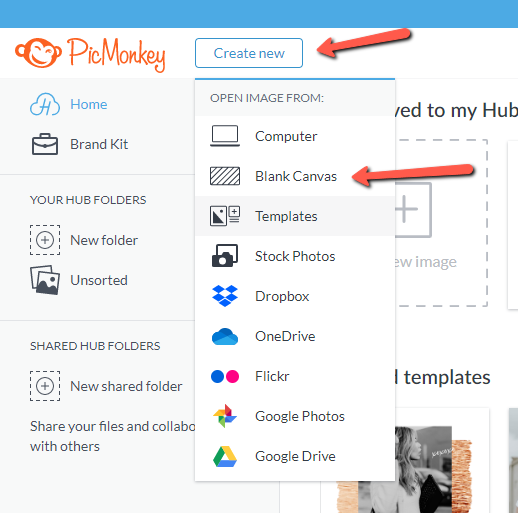
Step 1 – Once you’ve logged into PicMonkey, click on “Create new”, then click on “Blank Canvas”.
Step 2 – Create an art board by customizing the size you want (in top right corner). Click “Make it!”.

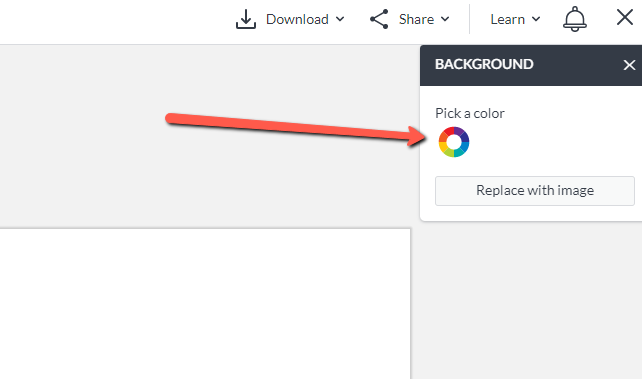
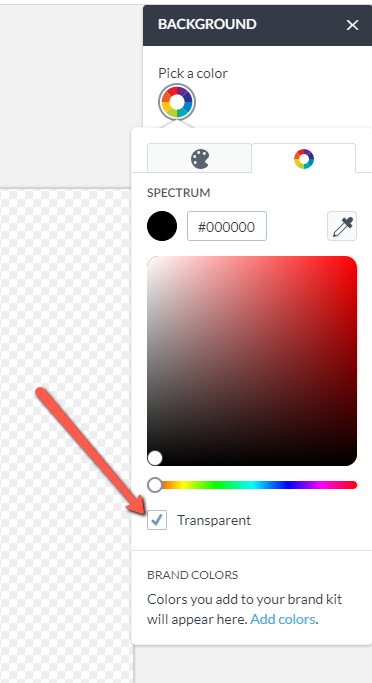
Step 3 – The art board you created will pop up. By default, the art board will be white. This needs to be changed to a transparent background. In order to do this, click the art board, then click the color wheel in top right corner.
RELATED: How to add your logo to photos

Step 4 – Check off “Transparent”. You should now see your art board with a faded checkered background – this means that it is now transparent.
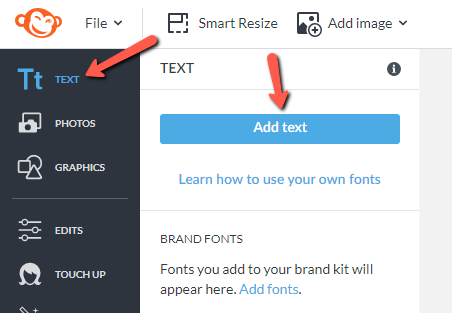
Step 5 – Now you can add your text. Click on “Text” in the top left and then click “Add text”. Although this tutorial is for a text signature, you can also use images if you prefer. 🙂
RELATED: How to add your logo to photos
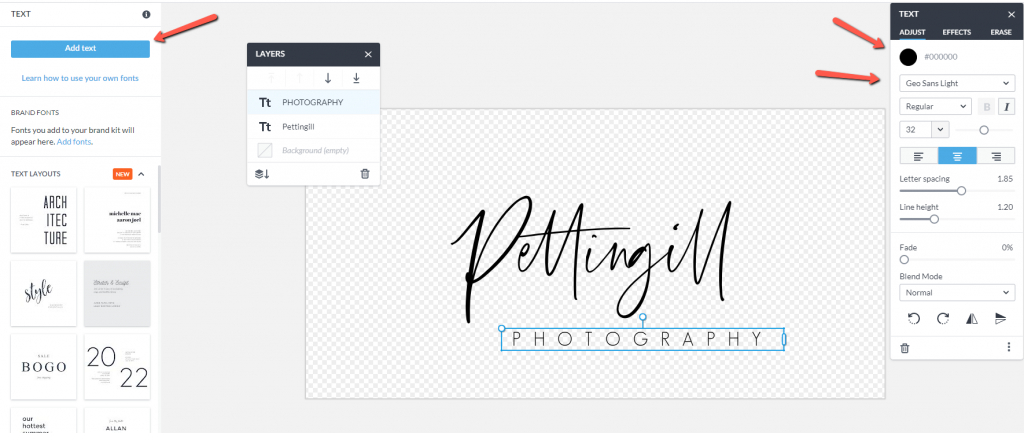
Step 6 – Click in your text box and type the text you want for your logo. You can adjust color, font, size, alignment, etc…on the right side. The color is important because it needs to stand out from the photo. If you want the logo on a dark photo, use a light color logo, and vice versa. Learn how to add your logo to photos.
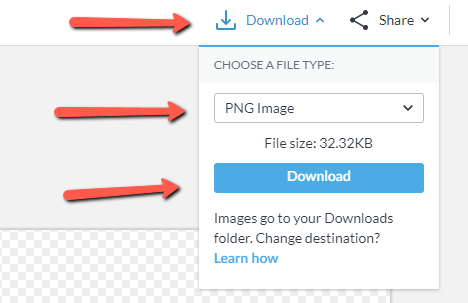
Step 7 – Once you’re happy with the logo, click on “Download” in top right corner. Make sure that “PNG” is the file type and click “Download” to save to your computer.
That’s it! You’re all done!
Now that you’ve designed your own signature logo, learn how to add your logo to your photos using PicMonkey – EASY PEASY!
If you’d like to see my work and follow my wire journey, you can find me here:
Etsy
Facebook
Instagram
Twitter
Pinterest
YouTube

PIN IT FOR LATER!